
Inside the nursing rota: understanding shift coverage
Published
How the nursing rota shows who is already on each day and night shift, so staff can see where cover is thin while they choose their requests.
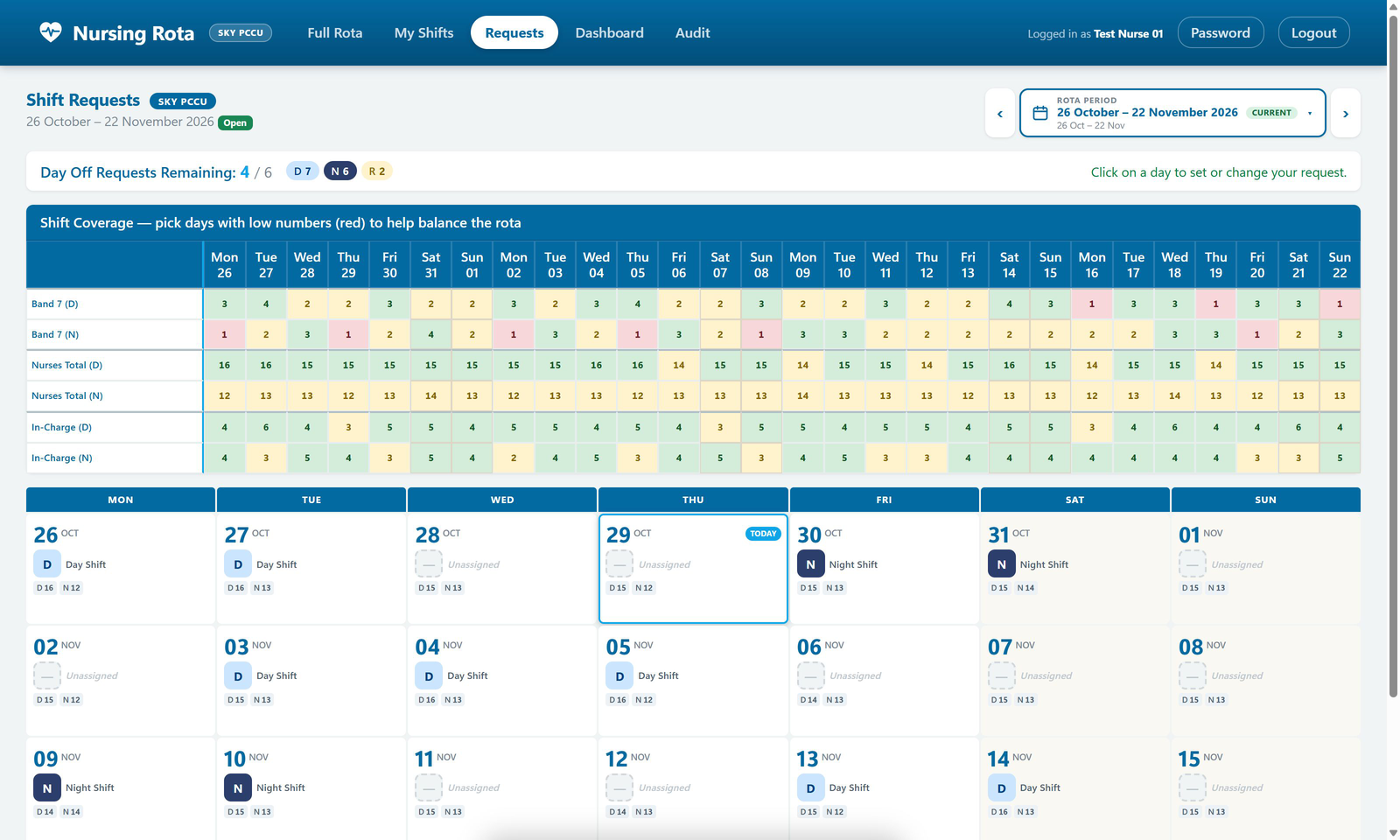
The nursing rota supports nursing teams at Evelina London with a shared rota, personal shifts and requests. This walkthrough looks at one part of it: the coverage table that sits above the calendar on the Shift requests page.
Where coverage appears
When a nurse opens Shift requests, the page shows the whole 28-day rota period at once. Before they choose a day or night shift, or ask for a day off, they can see how many people are already rostered on each day and each night.
What each row counts
The table is split into day (D) and night (N) rows, so a gap on nights is not hidden by a full day shift.
- Your own group. The first rows count people in the viewer’s own staff group, such as Band 7 in the test data at the top of this article. For retrieval nurses and nursing assistants, the row follows the same sections as the full rota.
- Nurses total. All nurses rostered on that day or night. Nurse associates and support staff have their own part of the rota and are not included in this count.
- ECMO team. Where a team needs it, these rows count nurses with the ECMO competency who are not in supervised practice.
- In-charge. Nurses on shift who can take charge.
Reading the colours
Each count is shaded green, amber or red. The heading of the table puts it plainly: pick days with low numbers (red) to help balance the rota.
Each row has its own levels, because the numbers mean different things. A single in-charge nurse on a shift shows as low, while the nurses total turns red at a much higher figure.
As a request changes
When a nurse sets or changes a request, the counts update on the page straight away. Their own skills are counted in the right rows, so adding a shift for an in-charge nurse also raises the in-charge figure for that day.
The rest of the page
The coverage table works alongside the other information a nurse needs while choosing:
- the number of day-off requests remaining against the team’s allowance, with a running count of day, night and requested-off days
- whether requesting is open, when the team opens for requests, or that the window has closed
- a calendar of the nurse’s own shifts, with day and night totals under each date
- any changes the rota coordinator has made to the nurse’s shifts since their last visit
Beyond the requests page
Coverage is not only for requests. The full rota brings together staff groups, roles and day and night totals for each published period. Elsewhere in the application, coverage views show the mix behind the count, including in-charge, ECMO, retrieval and ICU-qualified staff.
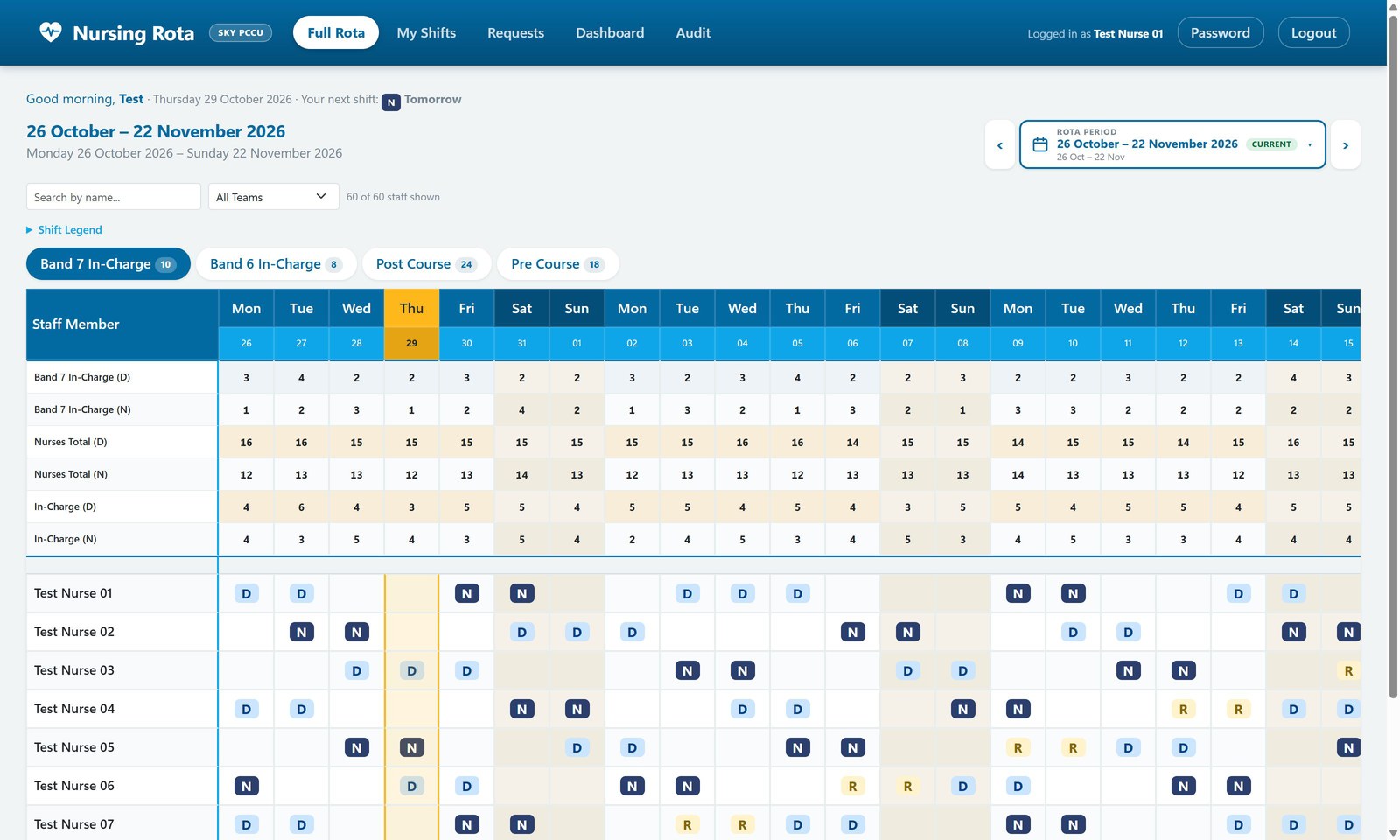
All screens in this article come from the real application running with isolated test data. No live staff records are shown.