Following the source in Beacon
Published
A short walk through the Beacon preview on our homepage: a sample question, an illustrative answer and the document record it links to.
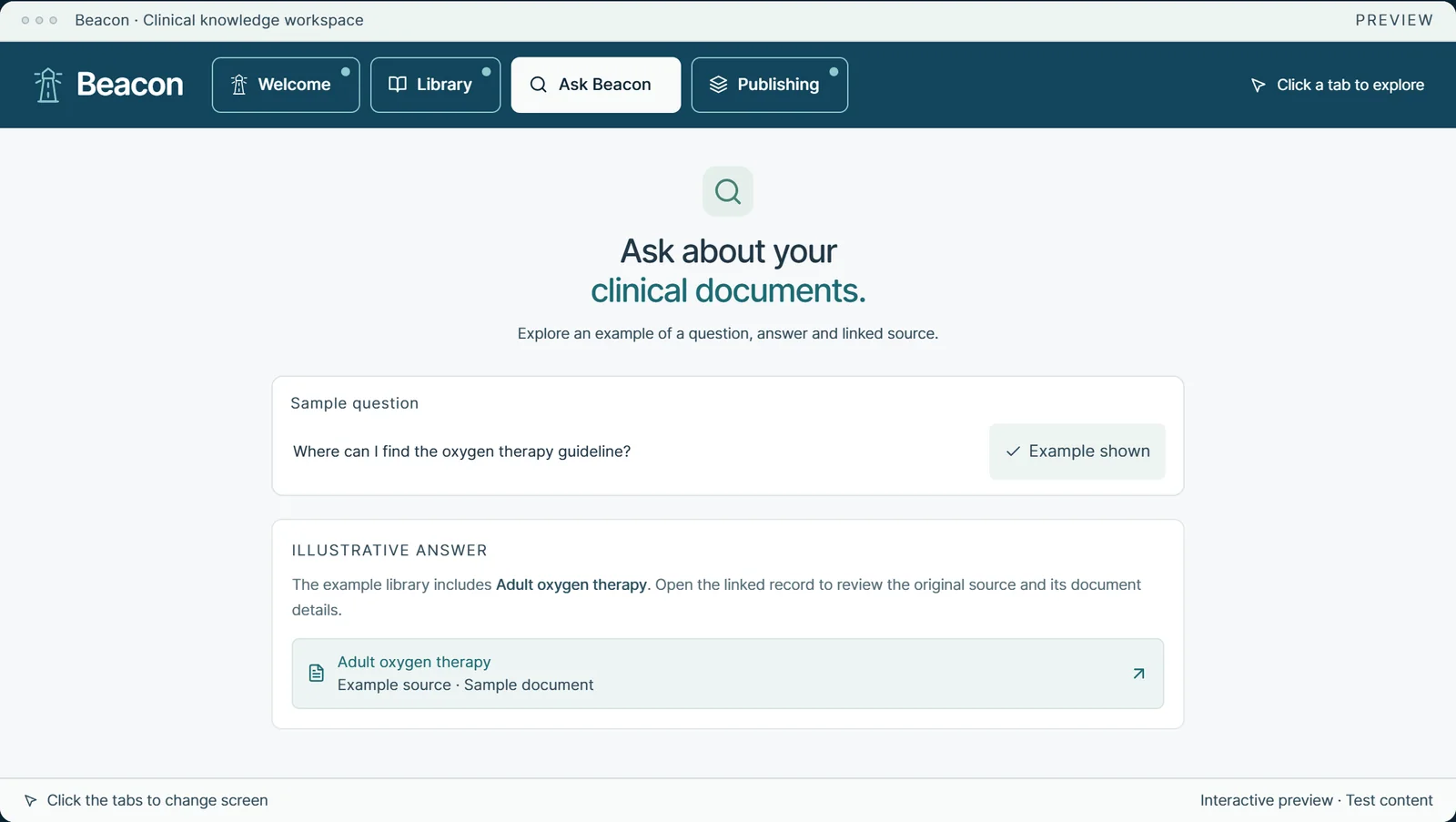
Beacon is our clinical knowledge workspace: a library for a team’s guidance, with a search that answers questions in plain English. The preview on our homepage lets you try the main idea without signing in. It is an illustrative product preview. Everything in it is sample content, it is not a live system and it contains no clinical guidance.
1. Start with a question
Open the Ask Beacon tab and a sample question is already filled in: “Where can I find the oxygen therapy guideline?” Choose Show example to see what comes back.
2. Read the answer, with its source attached
The illustrative answer is short. It says the example library includes Adult oxygen therapy, and points you to the linked record to review the original source and its document details.
Underneath the answer, the source appears as a link of its own, labelled as an example source.
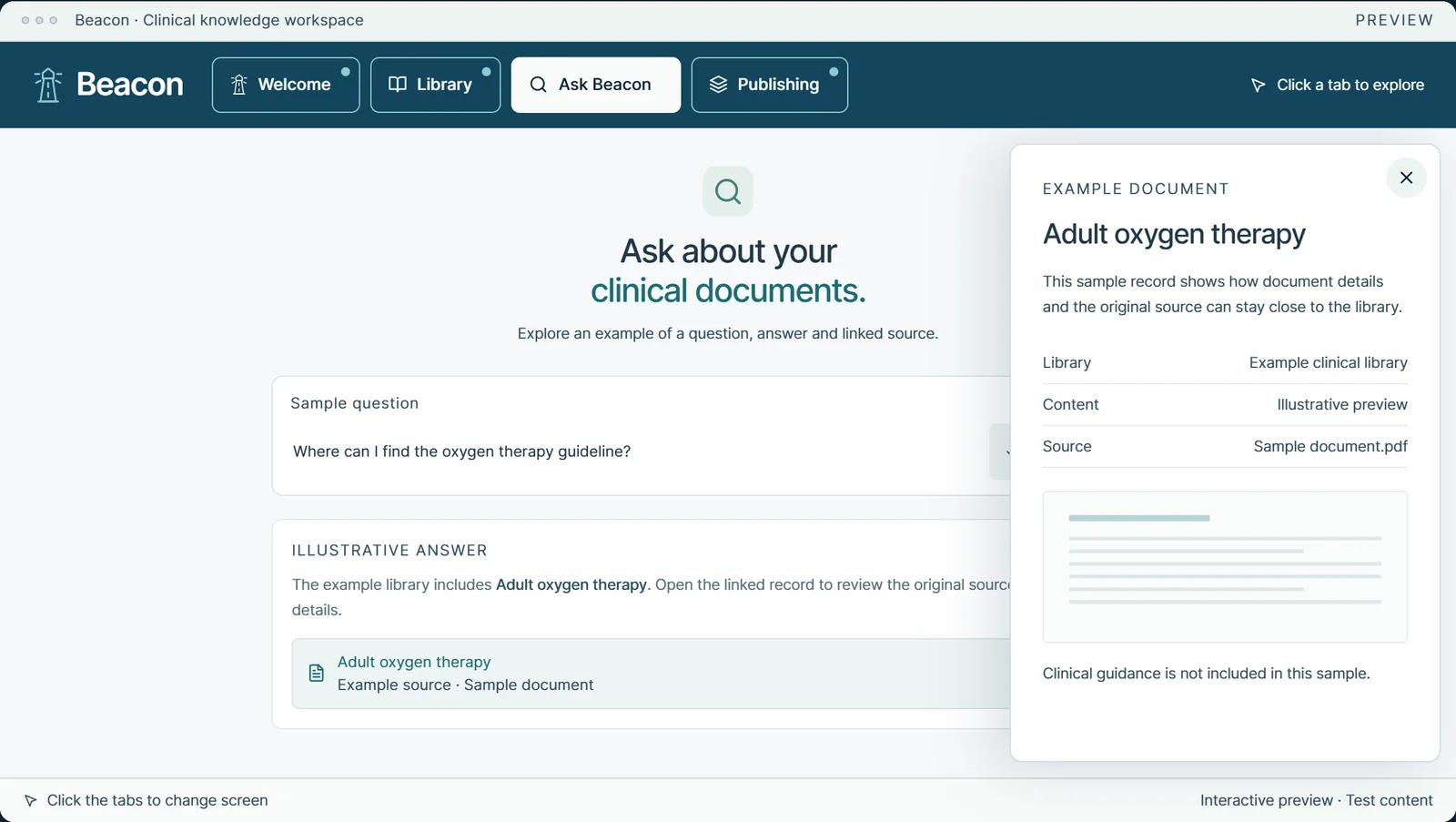
3. Open the source
Selecting the source opens a document record beside the answer. It shows the library the document belongs to, what kind of content it is and the source file, which here is Sample document.pdf. The record also says that no clinical guidance is included in the sample.
Why the source matters
With clinical guidance, an answer is only as useful as your ability to check it. Keeping the source one step away lets people read the original wording, see which document an answer came from and make their own judgement.
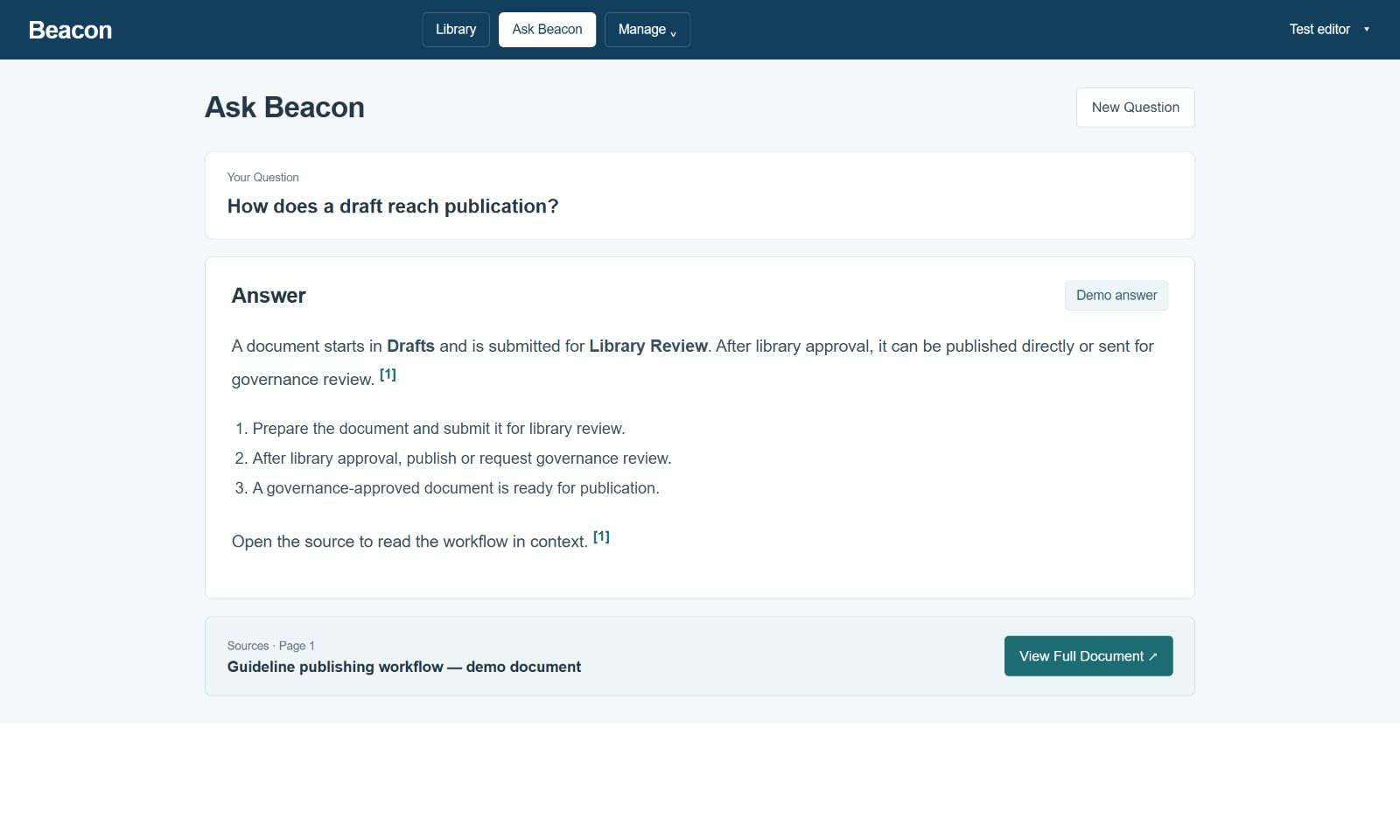
In the application
The homepage preview is a simplified version of the Ask Beacon screen. In the application, an answer lists its sources by document and page, and opening a source takes you to that page of the document. An answer can also be copied or exported with its sources listed.